Hobby · May 2026
Photobooth
Upcycled, and fully custom portable photobooth built for real events.
I’ve always been a photographer at heart. There’s something irreplaceable about capturing a moment and knowing people will still be looking at it years later. At the same time, I kept seeing the same demand everywhere: weddings, birthday parties, school events, company parties... people want a photobooth, but the rental prices are painful and the machines themselves are often closed black boxes.
So I decided to build my own.
Design philosophy
Maximum upcycling. Minimum cost. Full control.
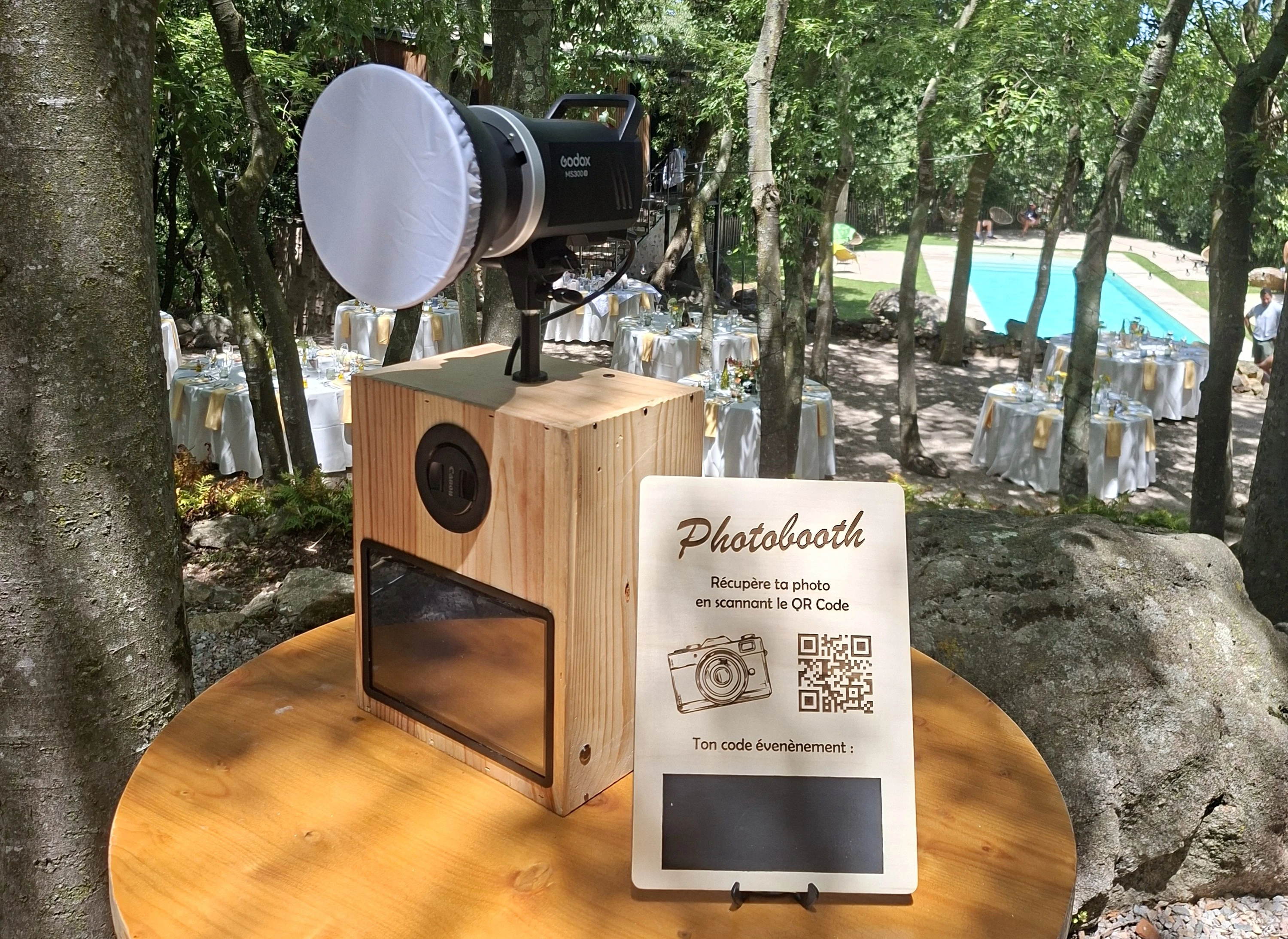
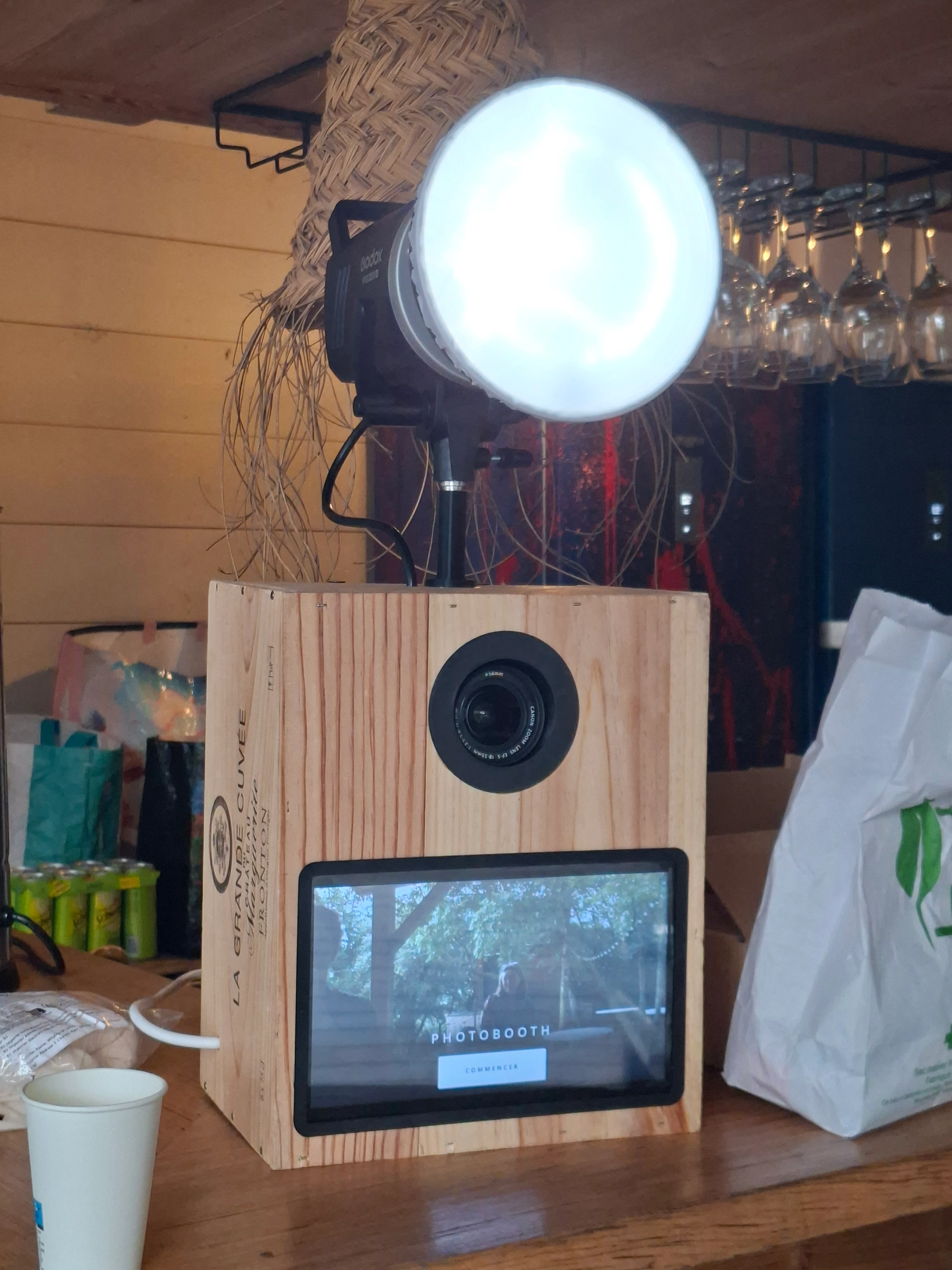
The entire enclosure started life as a wine box. The motherboard is the one I pulled out of my old Acer Aspire A715-41G. The 10.1" tactile screen came from AliExpress. The Canon EOS 100D and the Godox MS300 flash were both scored on LeBonCoin for a fraction of what they cost new. No thermal printer — they are too expensive, finicky, and add another point of failure. Instead the booth uploads every photo to a Cloudflare R2 bucket. Guests simply scan a QR code and type the event code to download their pictures.
The build
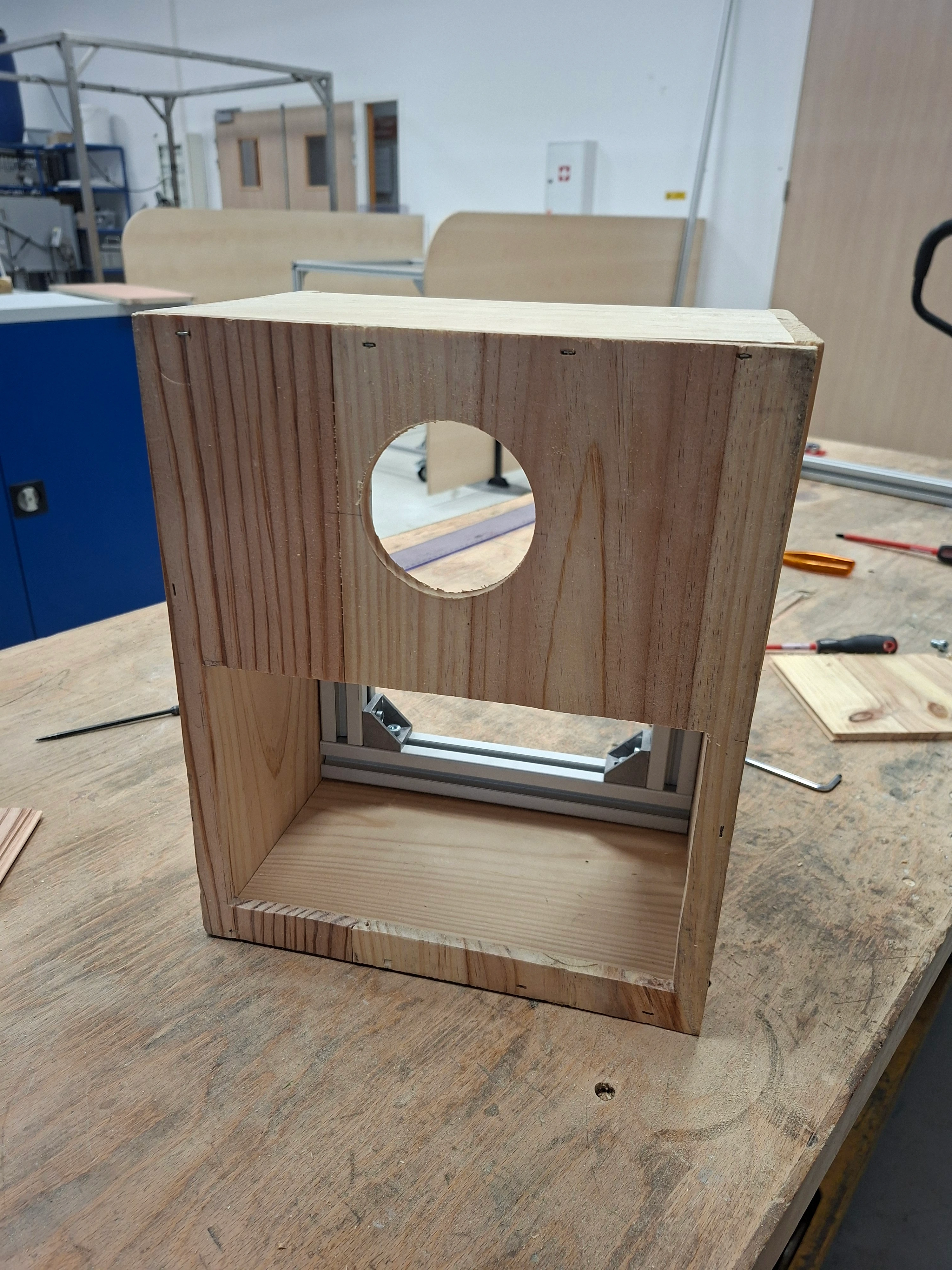
The wooden wine crate became the outer shell. Inside I built a rigid aluminum-extrusion frame so the box would not flex around the camera and the screen. A round hole on the front lets the Canon lens look out; the 1024×600 touch panel sits below it. The Godox flash with a softbox sits on top on a custom machined mount.
Power comes from a single 230 V supply. A 4G modem keeps the machine online even when the venue Wi-Fi is terrible.
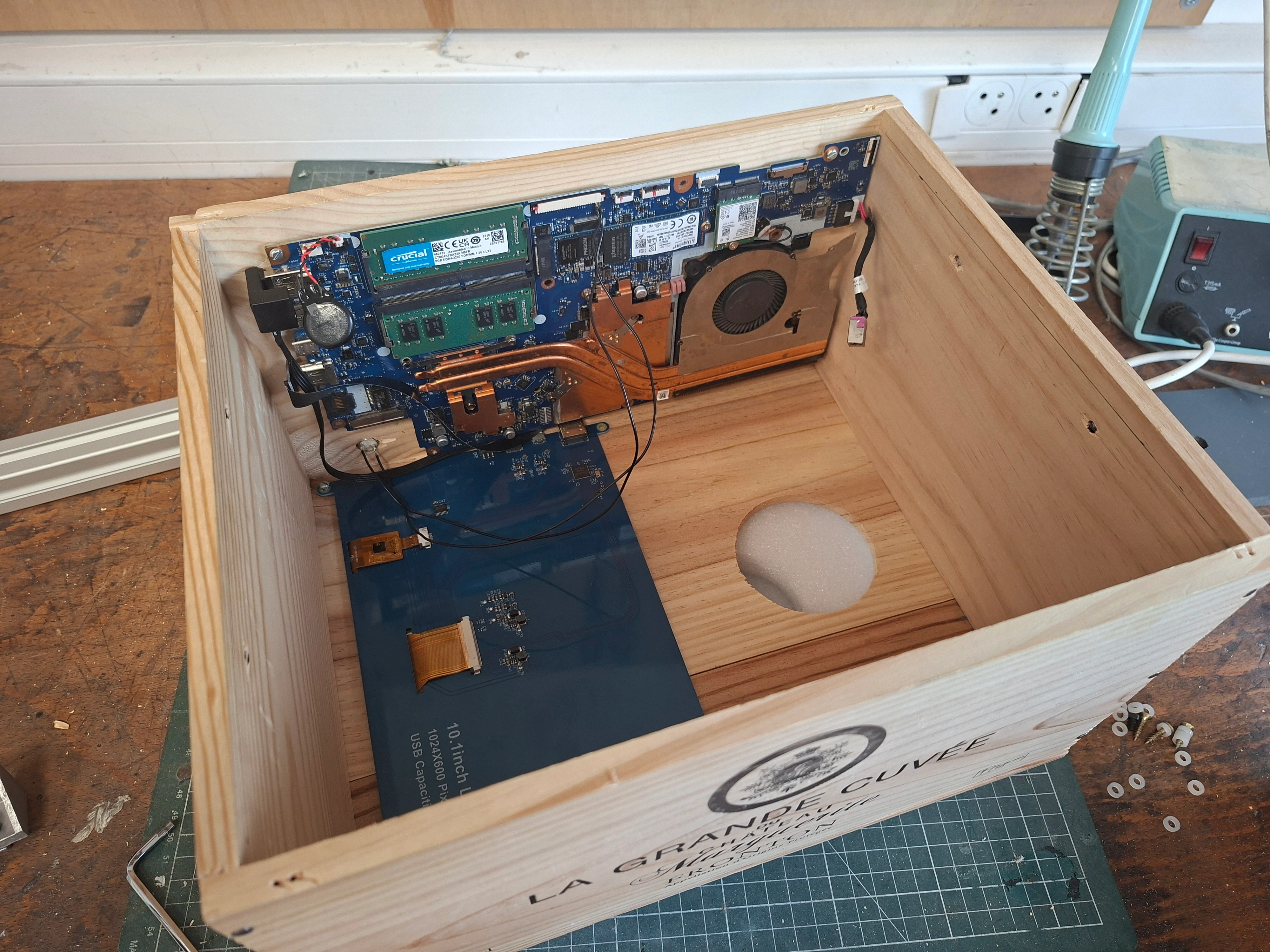
The Acer board, RAM and the 10.1" panel live in the same crate that used to hold a Grande Cuvée. The camera is mounted upside-down to keep the lens on axis with the hole, so every frame is rotated 180° in software before anyone sees it. The OS is Pop!_OS. The app is frameless and locked to the panel resolution — there is no desktop, no cursor, no way for a guest to leave the kiosk by accident.
The software
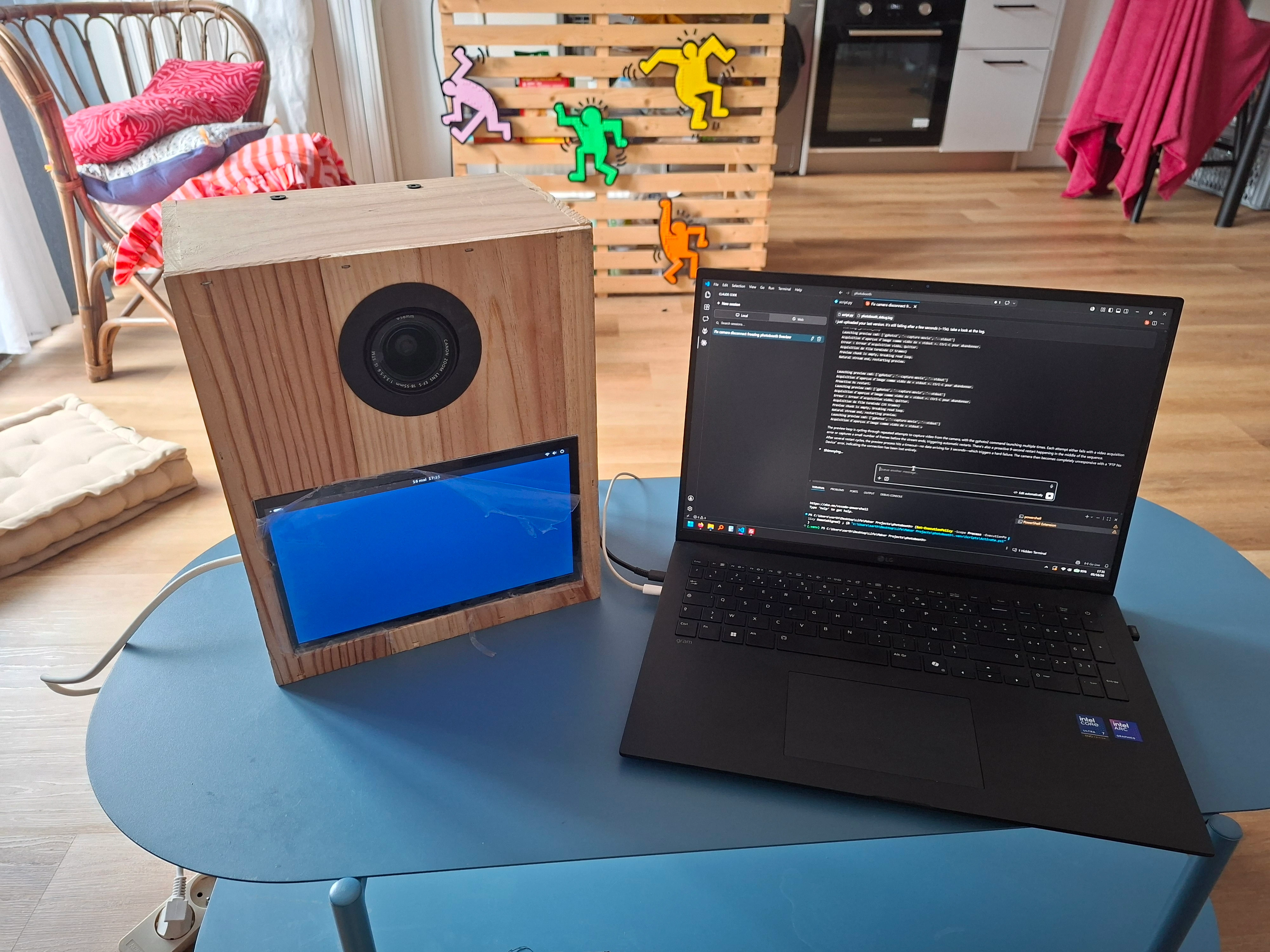
I didn’t want another closed commercial photobooth app. The whole UI and capture pipeline is a custom PyQt6 application. Claude did a lot of the typing. I kept it on a short leash with versioned saves and testing on the real hardware, not just a webcam on my desk.
The interesting part is not the buttons. It is keeping a Canon EOS 100D alive over USB for a whole evening, then getting the JPEGs onto people’s phones without a printer.
Guest flow
The app is a state machine on a QStackedWidget. Everything on screen is in French, with large touch targets for a 10.1" panel.
- Attract. Full-bleed live view, title, one button: COMMENCER.
- Prep. Three-second “PRÊTS ?” countdown. The burst size (1, 2 or 3 shots) is set in admin, not by the guest.
- Capture. 3-2-1 overlay, then a freeze frame “NE BOUGEZ PLUS JUSQU’AU FLASH”, and a white flash timed to the Canon’s shutter, not to the UI clock. Capture itself runs in a
QThreadso the interface never freezes on a PTP round-trip. - Review. The burst on screen. REPRENDRE or VALIDER. No email form, no keyboard, no way to stall the queue.
- Save. Pillow composites the event overlay, writes a 95 % JPEG with 300 DPI metadata, and kicks the upload to a background thread. Four seconds later the booth is back on attract.
Admin is hidden on purpose. Long-press the PHOTOBOOTH title for five seconds, unlock with a PIN keypad, then set the event code, the overlay PNG, the burst count and the camera backend. Guests never see it.
Talking to the Canon
The camera layer is an abstract backend so I could develop the UI on Windows against a webcam (OpenCV) and run the same app on the Acer board against the 100D (python-gphoto2). Forced Canon mode does not silently fall back to a webcam. If the DSLR is missing, the booth says so.
Live view is a single persistent PTP session for the lifetime of the process. The mirror stays up. A dedicated thread loops capture_preview() and lands around 14 fps, which is plenty on a 1024×600 panel. The JPEG from the Canon is dark, so the kiosk preview is gained in software and mirrored so people see themselves the way they expect. The stored photo is the unmirrored, full-resolution capture.
A still is a different PTP transaction. The preview thread is stopped, the viewfinder is dropped, capturetarget is set to camera RAM (not the SD card), the file is pulled over USB and decoded, then live view is restarted. If that capture times out (gPhoto error -110), the app cycles the viewfinder and retries before giving up on the guest.
When the camera falls over
PTP over USB on a Canon EOS 100D is not a product. It is a negotiation that fails in three different ways, sometimes in the same hour.
Linux will steal the camera. gvfsd-gphoto2 grabs the USB device the moment it enumerates. gPhoto then returns -52 (USB claimed). The booth kills gvfs before every init() and again on that error, with a short wait so the daemon does not win the race.
Then the bus wedges. Preview dies with -7 (I/O) or -10 (timeout). The camera still shows up in lsusb, so a naive “is it plugged in?” check is useless. The reconnect loop backs off, then tries a USB reset — pyusb, then usbreset, then the sysfs authorized toggle. Two resets is the limit. After that the overlay is honest: CAMÉRA BLOQUÉE — ÉTEIGNEZ LA CAMÉRA ET RALLUMEZ-LA. The app keeps polling and comes back on its own once the 100D’s PTP stack is alive again. Hammering a frozen endpoint just makes it worse, so after the first few hard failures the wait stretches to a minute.
If a capture still returns nothing, the booth retries the countdown twice, then drops back to attract rather than trapping someone on a black screen. The operator can also force a USB reset from admin without restarting the kiosk.
Overlays
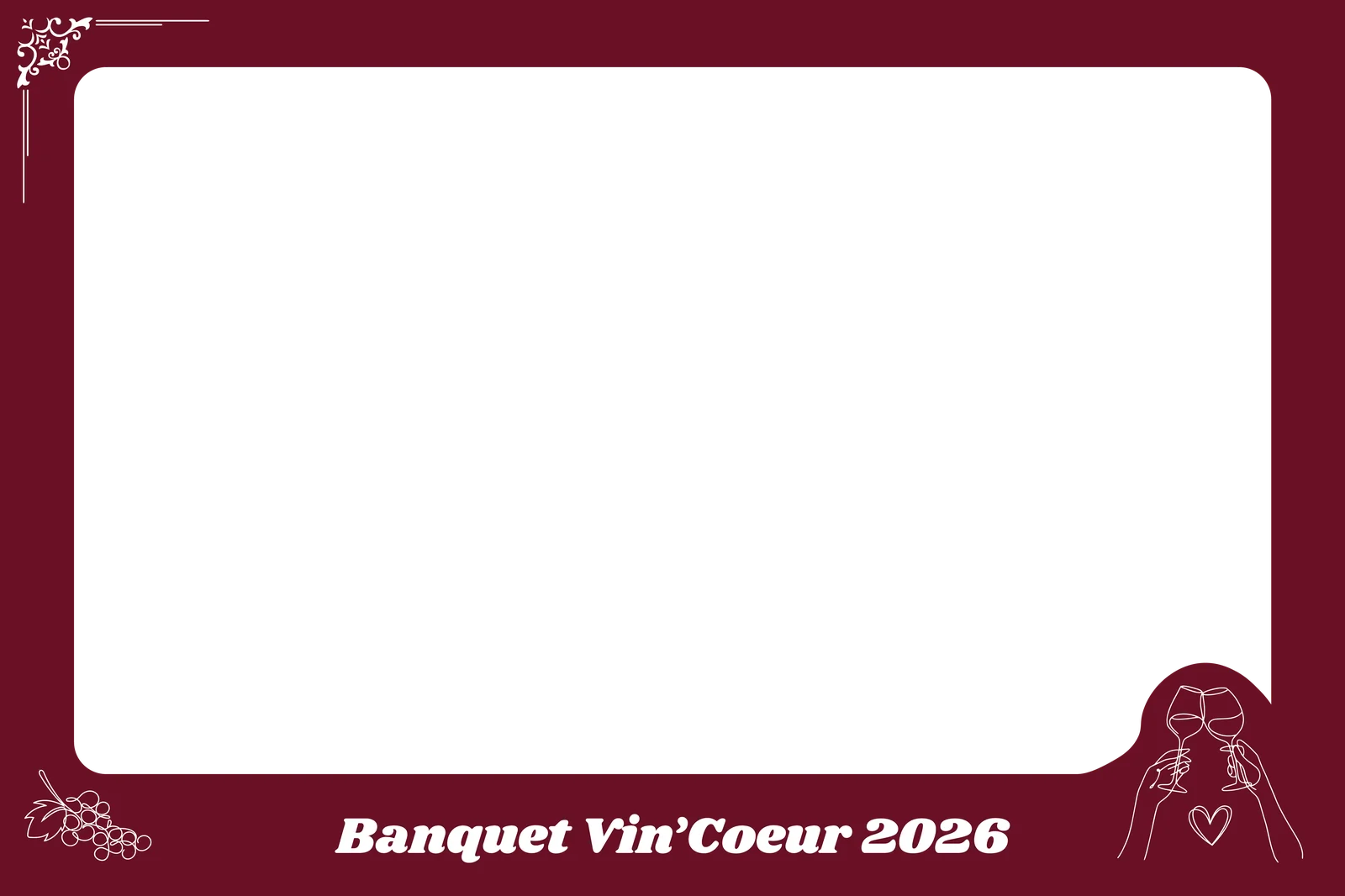
Each event gets a transparent PNG the same aspect as the Canon frame. On validate, Pillow alpha-composites it onto every shot in the burst. That is the whole branding pipeline — no strip layout, no paper, no “which template.” Two that actually ran:

Getting photos onto phones
The printer is the part of a rental booth that jams, costs money and makes people wait. I skipped it.
Each saved JPEG is uploaded in the background as {event_code}/{timestamp}_{filename}. The booth talks to Cloudflare R2 with an S3-compatible PUT (curl and AWS Signature V4). A small Cloudflare Worker sits in front of the bucket: POST to receive a file, GET ?code= to list a prefix, GET /photo/… to proxy the bytes with CORS so a phone can treat the image as a blob.
Guests scan the wooden QR sign next to the box, type the event code, and land on a gallery: three-column grid grouped by burst, then a Swiper carousel with TÉLÉCHARGER and a native share sheet (Instagram, Messages, AirDrop) on phones that support it. If the 4G modem is slow, the photo is already on disk in outbox/. The upload is best-effort; the session is not.
The reality of hardware
Two classic problems showed up quickly. They are why the software above has a reconnect state at all.
First, the USB 3.0 ports on the old Acer board hated the Canon. Random disconnects, freezes, the usual. A cheap USB 2.0 hub fixed it completely.
Second, heat. After twenty minutes the camera would start dropping frames or crash the PTP session. A small 5 V fan and a couple of exhaust holes drilled in the top of the box solved it. The machine now runs for hours without drama.
Result
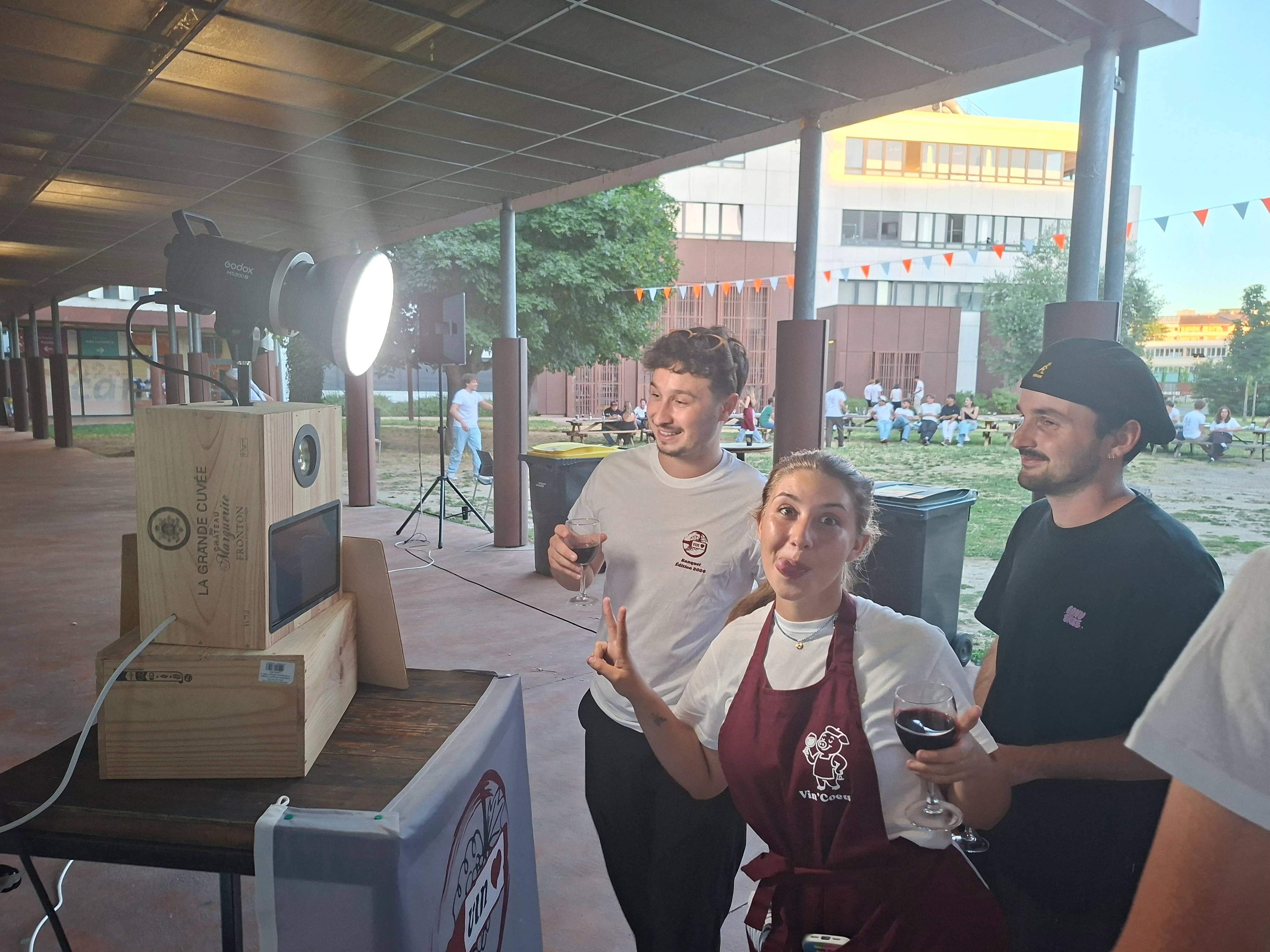
The booth has already done several real events. People walk up, strike a pose, and a few seconds later their photo is online. No paper jams, no ink to replace, no monthly software subscription. Just a wooden box that used to hold wine, an old laptop board, and a camera I bought second-hand.
It feels exactly like the kind of project I like: take what already exists, make it do something new, keep the cost low, and end up with something that actually works in the real world.
Learnings
I thought the hard part would be the interface. It was not. Attract, countdown, overlay — that is a state machine and some large buttons. What ate the time is a camera that falls off USB when it gets warm, a Linux daemon that steals it the moment it enumerates, and the fact that at an event you cannot open a terminal and restart the process. Once I accepted that, the reconnect loop and the hidden admin page mattered more than anything guests see.
The other lesson is that a printer would have been a second project. People already have a phone. I would rather spend the evening making sure the JPEG actually left the box than standing next to a jammed roll of paper.